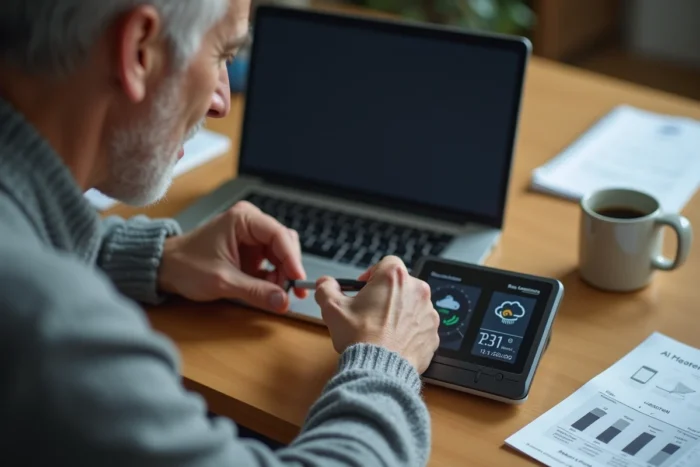
The majority of malfunctions on a La Crosse Technology weather station can be resolved by a hardware reset. The official manuals for the WS7394 and WS9180IT models confirm this approach: no complex software reset, but a precise sequence focused on power and resynchronizing the outdoor sensor. Here, we detail the technical points that consumer guides overlook.
Power Order Sensor-Station: The Sequence That Determines Synchronization
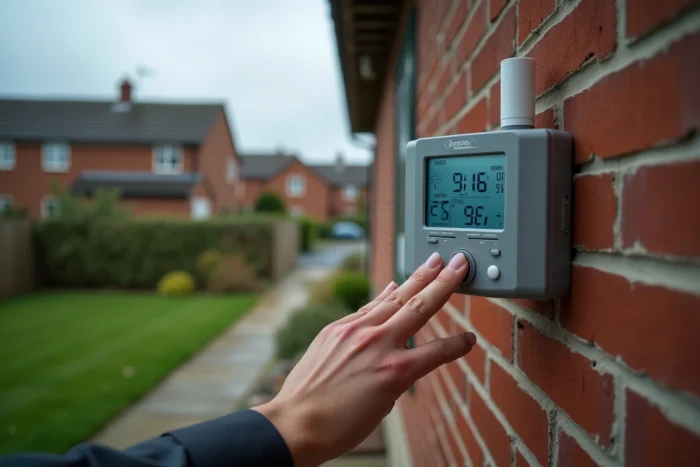
Most reset failures stem from a reversed battery insertion order. On La Crosse Technology wireless transmission stations (IT and IT+ protocols), the outdoor sensor must be powered first, before the indoor console. This point is not trivial: the sensor begins to transmit as soon as it is powered on, and the console has only a few minutes window to capture this signal during its own startup.
If you power the console first, it looks for a signal that does not yet exist. It then registers the absence of a sensor and may refuse to synchronize later, even after inserting batteries into the sensor. The only solution at this stage: remove everything and start over in the correct order.
For models with a RESET button (a small hole at the back of the console), we recommend using it only after removing the batteries from both devices. A brief press with a thin object is sufficient. Then reinsert the batteries into the sensor, wait about thirty seconds, and then power the console. It is at this precise moment that you need to know how to reset a La Crosse Technology weather station in case of problems to avoid repeating the procedure unnecessarily.

Loss of Signal from the Outdoor Sensor: Diagnosis Before Resetting
Resetting blindly is a common reflex, but not always relevant. Before removing the batteries, a quick diagnosis can help pinpoint the real problem.
Check Effective Range and Interference
The official La Crosse Technology support page states that the range in free field can reach 100 meters for IT+ sensors. In practice, each wall, floor, or electronic device reduces this distance. A sensor placed behind a load-bearing reinforced concrete wall or near a Wi-Fi router loses a significant part of its radio range.
The most reliable test is to temporarily bring the sensor within a few meters of the console, with fresh batteries in both devices. If the signal returns, the problem is environmental, not hardware. If nothing displays, either the sensor or the console has a defect.
Batteries: An Underestimated Factor
Low battery indicators on La Crosse consoles only trigger late. A sensor may stop transmitting properly even though the low battery icon has not yet appeared on the screen. We regularly observe this behavior with cheap alkaline batteries exposed to the cold.
- Opt for branded alkaline batteries or lithium batteries for the outdoor sensor, especially in winter when low temperatures accelerate discharge.
- Always replace the batteries of the sensor and console at the same time during a complete reset.
- Avoid NiMH rechargeable batteries for the sensor: their slightly lower nominal voltage can cause intermittent signal dropouts.
Resynchronizing the DCF Radio-Controlled Time After a Reset
The DCF radio-controlled clock does not recalibrate instantly. After a reset, the console attempts to capture the DCF-77 signal emitted from Mainflingen (Germany). This reception can sometimes take several hours, and certain conditions make it impossible.
The manuals for WS7394 and WS9180IT both mention the possibility to enable or disable DCF reception. If your station is installed in a highly isolated building (metal structure, basement), disable DCF reception and set the time manually. This will prevent the console from getting stuck in signal search mode, which can delay the display of weather data.
DCF reception works best at night when ambient electromagnetic interference decreases. If you reset your station during the day, let it operate for a full night before concluding a reception defect.
Resetting MIN/MAX Readings and Atmospheric Pressure
A complete reset (removing the batteries) clears all recorded data: temperature histories, MIN/MAX readings, and reference pressure. For stations displaying relative atmospheric pressure (like the WS7394), the reference value must be recalibrated manually after each reset.
This reference pressure corresponds to the pressure adjusted to sea level for your altitude. Without recalibration, the weather forecast icons displayed by the station will be incorrect. Check a reliable weather site for the current sea-level pressure in your area, then adjust the value in the console settings.
- Note your custom settings (reference pressure, time zone, display format) before any reset to restore them quickly.
- MIN/MAX readings can also be reset independently via the console buttons, without removing the batteries, if only the history is problematic.
- On multi-sensor models, each channel must be resynchronized individually after a complete reset.
Resetting a La Crosse Technology station remains a simple operation as long as the power sequence is followed and parameters are recalibrated afterward. The most cost-effective technical gesture is the prior diagnosis: checking range, battery status, and radio environment before resetting everything avoids losing data and settings unnecessarily.